Instructor/Advisor Table
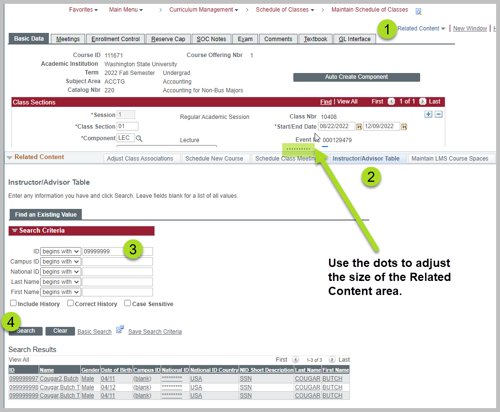
Instructor and Teaching Assistant information is managed using the Instructor/Advisor Table. Instructors must be added to this table before they can be added in Maintain Schedule of Classes. Navigation: Main Menu > Curriculum Management > Instructor/Advisor Information > Instructor/Advisor Table
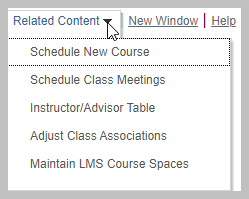
Related Content dropdown
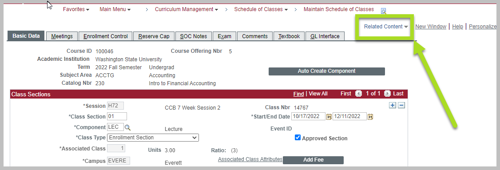
The best way to access the Instructor/Advisor Table is from Maintain Schedule of Classes using the Related Content dropdown on the top right of the screen next to "New Window | Help | Personalize Page".